Thursday, May 2, 2024

Discover the Worlds Top Designers & Creative Professionals

design brief example

We have allocated $10,000 for the rebranding project, hoping to complete it over the next four months. The timeline includes initial concept development, design iterations, and final implementation across all platforms. Our target market audiences are female entrepreneurs in the San Diego area in the and age ranges. These clients want to grow their business by investing in paid ads on social media platforms and want resources to improve and increase their online presence. Describe the problem this project will address and the big-picture idea that you’re hoping to achieve with it.

ALL PLANS

Clients don’t have to provide creative direction–the design team will handle that. However, it’s good to list requirements about what to include or exclude. But a good design brief outlines the deliverables and scope of the project, including any outcomes, timing, and budget. Your newfound knowledge can help set clear expectations and align everyone involved in your creative endeavor. It’s not only about creating attractive visuals; it is also essential to grasp your target market and determine practical timelines and financial resources.

Goals and objectives of the design project
design brief example

As we all know, miscommunication can be quite costly—both in terms of money and time. A well-ordered Google Docs folder that the design team can access might be just the ticket. Consider sharing thoughts on failed product launches or designs too – they can serve as invaluable lessons for avoiding similar pitfalls in future projects.

Creative Workflow Management: Tips to Amp Up Your Creative Work

Clear goals give graphic designers something concrete to work toward while keeping everyone focused on achieving the same end result. There are major benefits to creating a design brief with an online shared system. First, if you create a design brief in a tool like Asana, all of your stakeholders can access the information. This allows for everyone to be on the same page on the project, goals, and timeline. All of the information you’ve filled out and the research you’ve done to create a plan for their design is essential for explaining the project deliverables. This, essentially, is what the client will receive and what the end product will be.

FEATURE: The Culinary Odyssey Design Brief - Business Jet Interiors

FEATURE: The Culinary Odyssey Design Brief.

Posted: Fri, 06 Oct 2023 07:00:00 GMT [source]

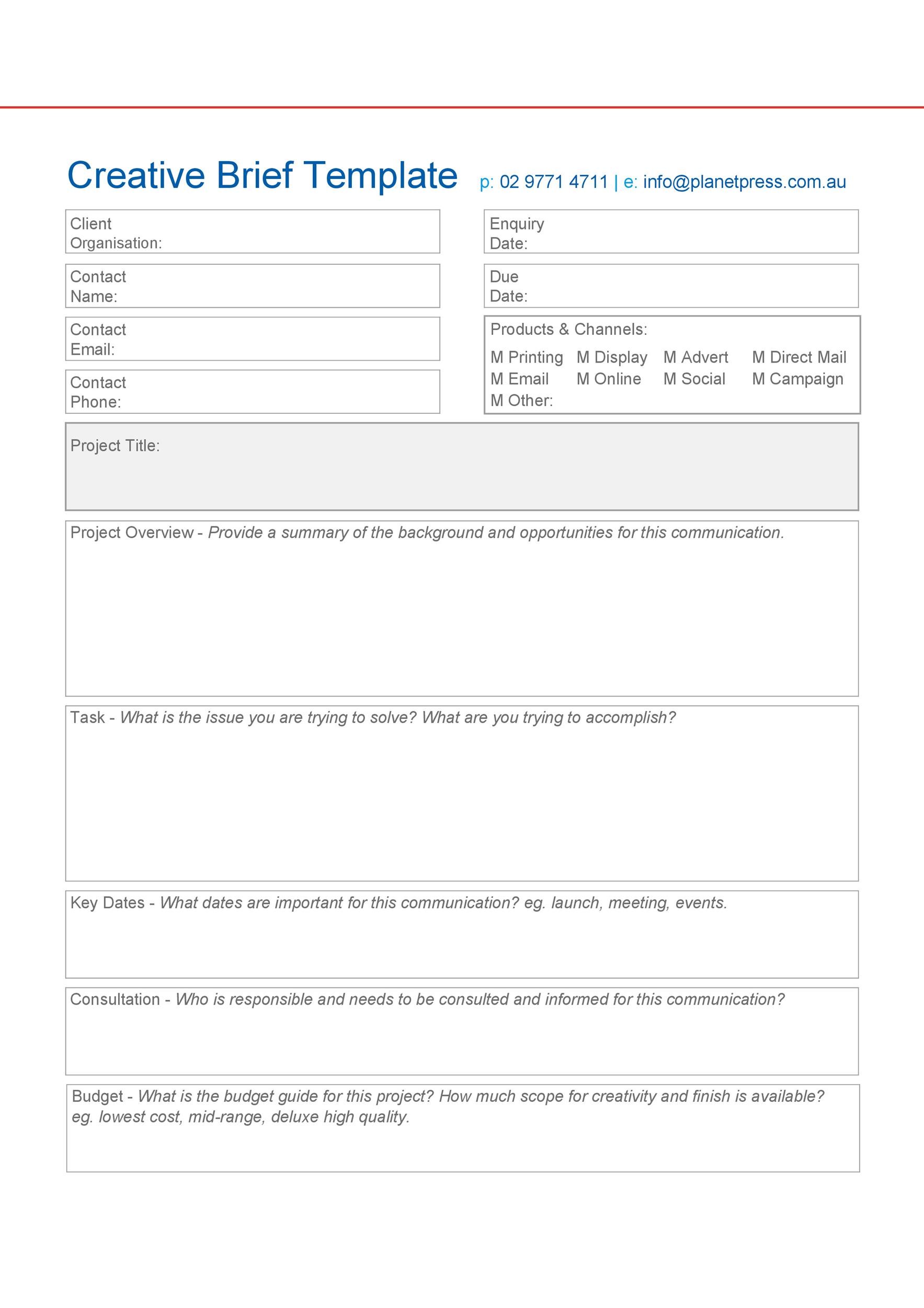
While this purpose alone qualifies the document and its creation process as essential, briefs do some pretty heavy lifting. Think of pre-built templates as a springboard for standardizing the way you write your design briefs. They’re created to simplify and streamline the design brief process so everyone involved can focus on what matters most—the project itself. This creative design brief example is well-structured, sets clear business goals for design, and is very laconic. It works well for website design requests.Regarding app design, a brief template has to be more specific regarding UX requirements and include some relevant references. The above questions are fundamental but don't always look exactly like this.

Essential elements of a creative brief

It’s a way to get everyone on the same page so that everyone knows what needs to be done as well as why it needs to be done. A design brief is a key that unlocks the door to a successful product. Having a good idea is not enough; you must know what you’re doing and when. When the designer has a better understanding of the end goal, they’ll have an important piece of context needed to deliver the best creative result.

design brief example

Sign up for a free trial to explore UXPin’s advanced design and prototyping features. The company intends to inform customers about the design modifications and keep track of client feedback until the end of the year. This step will help you decide how much time, money, and materials you need to complete the project. You should include competitor analysis in your design brief because every company needs to do it regardless of size or industry. Are you working on a new website, a product prototype, UX work, or a redesign? This can be summarized in a couple of straight-to-the-point sentences.

Get started with this creative brief template to outline your campaign goals, creative deliverables, due date, marketing strategy, and more. This is why it’s so important to identify all important stakeholders upfront. Each team member should know who is involved and what they’re responsible for. You’ll save yourself a lot of time fielding questions down the line if you add this to your creative brief. Outlining your target audience will help better tailor your creative to them. Look for specific insights, as those become your gems of valuable information.

The United Nations issues an open brief to designers to help fight coronavirus - It's Nice That

The United Nations issues an open brief to designers to help fight coronavirus.

Posted: Mon, 30 Mar 2020 07:00:00 GMT [source]

A header is the first thing your customer sees when they open the design brief. Your header should be visually appealing, easy to understand and engage with and inform the client about the services you render. Project objectives are a great place to start because they define the why and how of your project. Doing this would make it easy for you to decide what tasks need to be completed, how long those tasks should take, and who should be involved. You can also use these objectives as a baseline for measuring success or failure after completing the project. A design brief is a document that provides a high-level overview of the project and its goals.

Attempting to ascertain users’ actions, requirements, and inspirations is the aim of user research. This insight plays a crucial role when defining your product’s main objective or service offering. It’s not just paperwork—it’s like building blueprints for an architect or roadmaps for explorers. They save time on impromptu Zoom calls and cut down those endless email threads that tend to spin out of control. In this section, you should also outline the purpose of the project and lay out concrete steps for how you will reach the goal in mind.

Their web design brief was explicit about user experience (UX) requirements – it needed to be easy-to-navigate even for non-tech-savvy users who might not have used similar platforms before. Imagine diving into a project without a design brief, it’s like exploring an unknown city with no map – messy and inefficient. Your design brief is your guide, setting clear goals from start to finish while warding off miscommunication and letdowns. The best part about this roadmap is that it’s flexible; able to accommodate detours or changes in direction if needed during product development.

Some clients may have a wealth of research insights they can share with you about their target market or audience. If they don’t, or if your analysis of those insights doesn’t give you what you need, you may need to explain how incorporating research into the brief could benefit the project. Involve everyone’s input in the process with our shared workspaces and interactive stamps, emotes, and Lil Notes. Once you’ve built a foundation of collaboration with your creative team, you can build a working design brief that the whole team can get behind. You can create your own design brief template or download one from a design marketplace as a starting point (that you can further customize as needed). Get unlimited downloads of 2 million+ design resources, themes, templates, photos, graphics and more.

Regardless of the project’s size, you will need a detailed marketing plan to work effectively with the agency. Conducting usability testing with competitive products is a great way to do some preliminary research and gather useful background information. A design brief serves as the source of truth for your project and guides the design team's overall direction. Having a well-defined brief helps designers focus on the right tasks and deliver great work. The point is that both parties have a vested interest in getting the design brief right and signed-off before any design work starts. The client has to initiate the process, even if it’s asking a designer to meet and discuss the project so they can get ideas down.

No matter the case, there’s a specific reason for hiring professional designers, and that needs to be described in the design brief. If a company decides to partner with a design agency on a new design project, they need to write a design brief. Design briefs are the starting point of any design project and should provide an overview of the company, the problem to be solved, and the expectations.

Designers should learn from their competition’s past design successes and mistakes to help dictate the direction of their next great design plan. Having a strong grasp of your client’s competitors will help make better design decisions in the future. Every organization has other competing brands and it’s important to understand the competition.

Knowing the main competitors and the unique value proposition of your product is also very useful. The design should reflect the unique advantages of the brand to stand out among rivals. There’s a fair bit of time invested in communication until you end up sending a brief. Finding out at the last minute that the agency will actually want five times the amount you expected to pay is an avoidable situation—and transparency is key to doing so. It’s always best to take the extra step and go beyond basic demographic information and actually have a fully-fleshed customer persona. There’s a bunch of extremely relevant information you can include in this section, even things like the types of stores they go to, their favorite books, their outlook on life, etc.

Wednesday, May 1, 2024

17 Best Hair Clips & Barrettes for Every Texture in 2021 Reviews

barrette hair clip

For some people, hair clips are just another way to keep their hair out of their face. Here is a selection of four-star and five-star reviews from customers who were delighted with the products they found in this category. For just $6, this Etsy shop will send you a pair of two barrettes in colors like slate gray, pink, orange, blue, tan, and cream. For a hair clip that will never go out of style, BaubleBar has a ton of monogram hair clip options in various colors, like this tortoise resin style. They seriously make an adorable personalized gift for any occasion.

Update your settings

It features 20 pieces, including pearl hair clips, acrylic resin barrettes, adorned bobby pins and more for you to experiment with. Women today are taking the '90s trend and transforming the hair industry with dainty embellishments and oversized snap clips. Hair clips come in so many styles, whether with faux pearls, words, or studded bobby pins.

White Bone Hair Clip. 6cm, alligator clip

Click here to see more barrette hair clips with free shipping included. Tasha offers a whole range of cute hair accessories, including these two-pack of crystal star-shaped barrettes. Use them to gently hold some hair back or to decorate a simple updo. Weddings are the perfect occasion to wear more decorative and elaborate hair pins.

If You're Bored With Your Hair, Try These 27 Accessories To Add Some Pizzazz - BuzzFeed

If You're Bored With Your Hair, Try These 27 Accessories To Add Some Pizzazz.

Posted: Fri, 23 Jun 2023 07:00:00 GMT [source]

Cool Hair Clips and Barrettes for Every Style and Texture

barrette hair clip

Tuck your bangs to the side or braid off a small section of your hair with these mini clips. The featured set includes neutral colors, but you can also purchase it in pink, chocolate, and brown themes. To keep things simple but still chic, this rhinestone bobby pin set of three comes in dazzling neutral colors. If you're wondering about where to place your barrette, you're in luck. Speaking to Allure, hairstylist Justine Marjan said the placement of your barrette is important.

barrette hair clip

Choose from eight different color combinations and add up to nine characters on these clips for a one-of-a-kind look.

baublebar Tortoise Resin Initial Hair Pin

She has over six years of experience, including almost three years as a Good Housekeeping product and reviews editor, covering the best sales and products across home, appliances, health, beauty, parenting and more. Whether you're going to be a wedding guest in the near future or simply want to add an elegant touch to your everyday look, pearl barrettes provide an easy solution. The set comes with 12 pieces with a variety of shapes for endless possibilities. You'll receive 10 resin clips in assorted colors, and you can choose between a sapphire, rose, and chartreuse theme. To use, press the thicker end of the clip to open and slide into place.

French Barrette Hair Clips

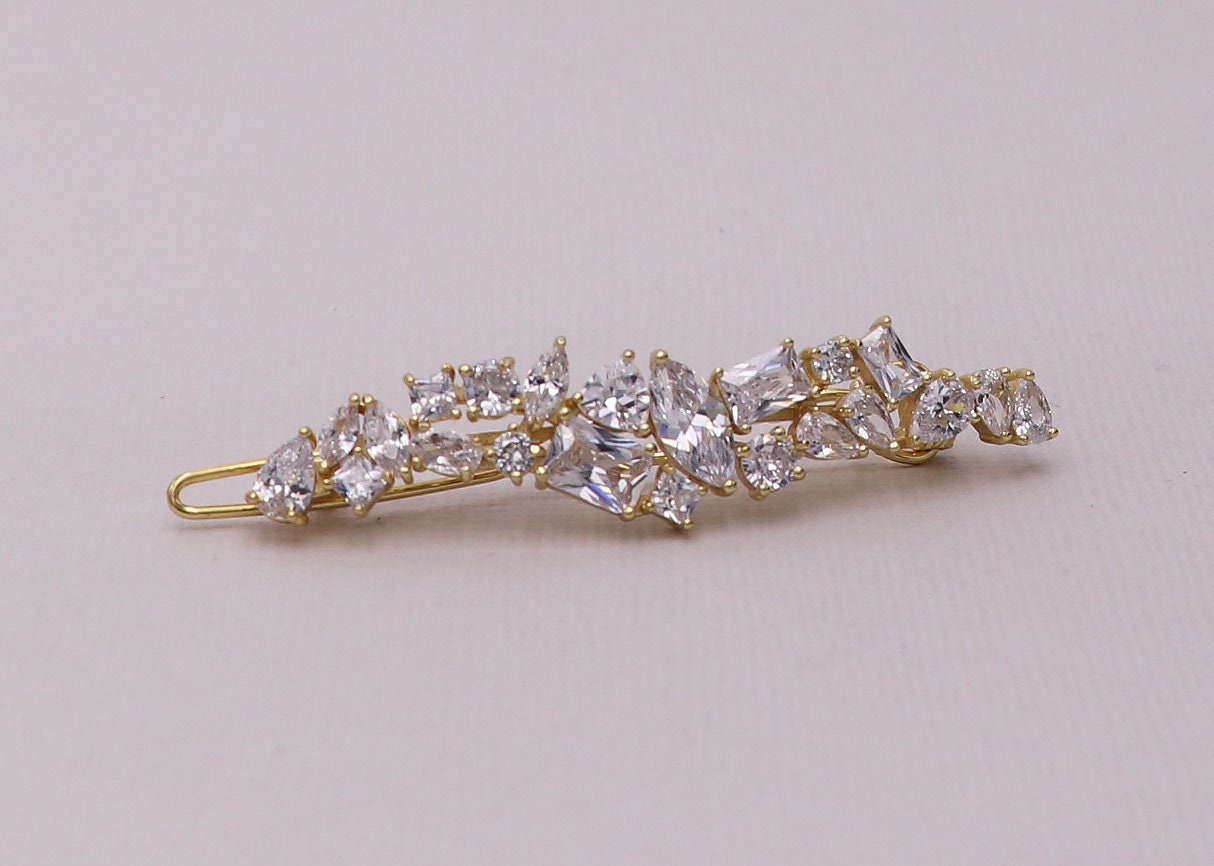
These hair pins are handmade with rhinestone beads and come in a pack of two. No matter if your hair is dark, light, or anything in between, gold is likely to suit you. This set comes with 17 gold-colored pins, including geometric shapes as pictured, bobby pins, pearl clips, and one thick gold clamp pin. Per Elle, if you have a formal event to attend, this pearl barrette from Anthropologie will complement any outfit beautifully without detracting from the rest of your look.

Teardrop Hair Clip, Hair Barrettes for Women, Snap Back Clips, Snap Barrettes, Summer Hair Accessories

Less fiddly than trying to tie a loose ribbon into a bow yourself, a pre-tied bow will lend any look a touch of whimsy. This ribbon barrette from Hill House Home, aptly named The Belle Bow, is an especially lovely pick. It comes in six colors, including a beautiful deep emerald green shade that will make you feel more festive instantly. If you're the type to like fun patterns and prints, this set has 10 hair clips of various sizes and designs. Their acrylic resin barrette style will hold your style in place without tugging at your hair.

The HairBow Center has gone to great lengths on a quest for a high-quality alligator clip that is up to our standards, because we know that ultimately, it is our customers’ standards that matter! Our alligator clips are constructed of steel and are strong and sturdy to hold up to tugging little fingers that aren’t always so gentle! Just as important, the springs are strong with great tension and an easy and smooth action for a great-holding clip. Ahead, some of our favorite hair clips we've found on the internet, which you're sure to love. Shanon is a writer and editor who specializes in best-of product roundups and deals.

Hairstylist Justin Marjan says to use your facial features as a guide. "For example, around the face for higher placement, place along the same line as your eyes or eyebrows," she tells Allure. "If placing behind the ear, place along the same line as your cheekbones." Yep, you can even have your own name or a custom phrase added onto a clip of your choice.

And the best part is that you can wear the hair clip trend in so many ways, no matter if you have short hair, curly hair, or just want to style your bangs in a one-of-a-kind way. Whether you've been obsessively scrolling Instagram or you've actually set aside your phone to live in the present moment, you may have noticed that cool hair clips are popping up everywhere. Celebrities such as Megan Thee Stallion, Alicia Keys, and K-pop star HyunA have all worn the trendy hair accessory, which is giving us flashbacks from the '90s when your hairstyle wasn't complete without a well-placed butterfly clip. Click here to see more french barrette hair clips with free shipping included. Standard alligator hair clips are available in sizes from 1.35” length to 2.25”. Double prong alligator clips are available as well as our popular flat alligator hair clips with teeth which have a larger flat surface to attach bows to and also have more grip in hair.

Or, if you're looking for something that's full of sparkle for the festive season, you're sure to dazzle all night long with this set of five starry silver hair clips from Jennifer Behr (via Harper's Bazaar). Inspired by the night sky, the stunning clips are suited to both formal and more casual occasions. Having been spotted on style icon and model Bella Hadid, as well as Kendall Jenner and Hailey Bieber (per Vox), the claw clip became a viral sensation on TikTok.

Even the hashtag #clawclip currently has amassed an incredible 1.6 billion views. You can create tons of cute hairstyles with a claw clip, which is perhaps why they have resurfaced as a must-have accessory. Perfect for spring, this set comes with a total of 12 butterfly clips in pretty pastel hues. Use them to secure simple twists or to finish off braided hairstyles. So, is a claw clip a barrette, and if not, what exactly is the difference between a hair clip and a barrette? We've got the answer to both of these questions, as well as some of the best hair clips to suit several occasions.

All clips are available in a number of pack sizes ranging from 24pcs up to wholesale 1000pc bags. All of our metal hardware is tested in a US laboratory and are CPSIA compliant. Certificates of conformity are available for download on our site. Though it can seem a bit pedantic, there is actually a distinction between a hair clip and a barrette, meaning you shouldn't be using them interchangeably.

From handmade pieces to vintage treasures ready to be loved again, Etsy is the global marketplace for unique and creative goods. It’s also home to a whole host of one-of-a-kind items made with love and extraordinary care. While many of the items on Etsy are handmade, you’ll also find craft supplies, digital items, and more. Styles include open circle and triangle clips in light tortoise shell print — also perfect for half-up, half-down styles. You can announce exactly how you're feeling with this set of 16 rhinestone clips that feature words like "happy," "sweet," and "star." No longer just used to clip back your bangs on hair wash day, the humble hair clip has made a stellar comeback and these ones are some of the best out there.

24 Best Hair Clips Cute, Trendy Barrettes and Hair Accessories

barrette hair clip

And the best part is that you can wear the hair clip trend in so many ways, no matter if you have short hair, curly hair, or just want to style your bangs in a one-of-a-kind way. Whether you've been obsessively scrolling Instagram or you've actually set aside your phone to live in the present moment, you may have noticed that cool hair clips are popping up everywhere. Celebrities such as Megan Thee Stallion, Alicia Keys, and K-pop star HyunA have all worn the trendy hair accessory, which is giving us flashbacks from the '90s when your hairstyle wasn't complete without a well-placed butterfly clip. Click here to see more french barrette hair clips with free shipping included. Standard alligator hair clips are available in sizes from 1.35” length to 2.25”. Double prong alligator clips are available as well as our popular flat alligator hair clips with teeth which have a larger flat surface to attach bows to and also have more grip in hair.

Resin Hair Clips Sparkle Glitter Hair Clips Cute Colors Hair Barrette Resin Hair Accessories Handmade Hair Clips

Less fiddly than trying to tie a loose ribbon into a bow yourself, a pre-tied bow will lend any look a touch of whimsy. This ribbon barrette from Hill House Home, aptly named The Belle Bow, is an especially lovely pick. It comes in six colors, including a beautiful deep emerald green shade that will make you feel more festive instantly. If you're the type to like fun patterns and prints, this set has 10 hair clips of various sizes and designs. Their acrylic resin barrette style will hold your style in place without tugging at your hair.

Jennifer Behr Iris Pearl Headband

These days, while the hair clips that have been trending are in many cases equally (if not more) glittery and colorful than decades ago, they've definitely evolved. They're adorned with pearls, fashioned in resin, and some of them quite literally make a statement — rhinestone-encrusted ones, no less. At this point, hair clips have become so popular that it can be a bit daunting to figure out where to start if you're looking to get in on the trend. Another pretty hair accessory that's perfect for the holiday season is a ribbon bow attached to a clip.

barrette hair clip

FILIGREE FRENCH BARRETTE 70MM- Hair Accessories- Barrettes and Clips- French Clips- Hair Accessories- Hair Clips

Or, if you're looking for something that's full of sparkle for the festive season, you're sure to dazzle all night long with this set of five starry silver hair clips from Jennifer Behr (via Harper's Bazaar). Inspired by the night sky, the stunning clips are suited to both formal and more casual occasions. Having been spotted on style icon and model Bella Hadid, as well as Kendall Jenner and Hailey Bieber (per Vox), the claw clip became a viral sensation on TikTok.

These hair pins are handmade with rhinestone beads and come in a pack of two. No matter if your hair is dark, light, or anything in between, gold is likely to suit you. This set comes with 17 gold-colored pins, including geometric shapes as pictured, bobby pins, pearl clips, and one thick gold clamp pin. Per Elle, if you have a formal event to attend, this pearl barrette from Anthropologie will complement any outfit beautifully without detracting from the rest of your look.

Click here to see more barrette hair clips with free shipping included. Tasha offers a whole range of cute hair accessories, including these two-pack of crystal star-shaped barrettes. Use them to gently hold some hair back or to decorate a simple updo. Weddings are the perfect occasion to wear more decorative and elaborate hair pins.

She has over six years of experience, including almost three years as a Good Housekeeping product and reviews editor, covering the best sales and products across home, appliances, health, beauty, parenting and more. Whether you're going to be a wedding guest in the near future or simply want to add an elegant touch to your everyday look, pearl barrettes provide an easy solution. The set comes with 12 pieces with a variety of shapes for endless possibilities. You'll receive 10 resin clips in assorted colors, and you can choose between a sapphire, rose, and chartreuse theme. To use, press the thicker end of the clip to open and slide into place.

A$AP Rocky's XL Rhinestone Hair Clips Are So Rihanna-Coded - HYPEBAE

A$AP Rocky's XL Rhinestone Hair Clips Are So Rihanna-Coded.

Posted: Wed, 06 Sep 2023 07:00:00 GMT [source]

However, when you buy something through our retail links, we may earn an affiliate commission. For something completely uncomplicated and straightforward, these straight solid color pins do just the trick. You can even line multiple of them for an interesting but not overdone hairstyle. Etsy is no longer supporting older versions of your web browser in order to ensure that user data remains secure.

VinBee Large Metal Claw Clip Set

Send me exclusive offers, unique gift ideas, and personalized tips for shopping and selling on Etsy. Found something you love but want to make it even more uniquely you? Good Housekeeping participates in various affiliate marketing programs, which means we may get paid commissions on editorially chosen products purchased through our links to retailer sites. All products featured on Allure are independently selected by our editors.

Tuck your bangs to the side or braid off a small section of your hair with these mini clips. The featured set includes neutral colors, but you can also purchase it in pink, chocolate, and brown themes. To keep things simple but still chic, this rhinestone bobby pin set of three comes in dazzling neutral colors. If you're wondering about where to place your barrette, you're in luck. Speaking to Allure, hairstylist Justine Marjan said the placement of your barrette is important.

Hairstylist Justin Marjan says to use your facial features as a guide. "For example, around the face for higher placement, place along the same line as your eyes or eyebrows," she tells Allure. "If placing behind the ear, place along the same line as your cheekbones." Yep, you can even have your own name or a custom phrase added onto a clip of your choice.

It features 20 pieces, including pearl hair clips, acrylic resin barrettes, adorned bobby pins and more for you to experiment with. Women today are taking the '90s trend and transforming the hair industry with dainty embellishments and oversized snap clips. Hair clips come in so many styles, whether with faux pearls, words, or studded bobby pins.

Below are 25 hair clips and barrettes any woman can wear, even if you've never worn one before. The list includes the cutest hair accessories from elegant wedding pins to nostalgic butterfly clips, and how to use them. You'll be amazed at how easily they can elevate your everyday ponytail or updo! And by the way, right now a ton of brands like Nordstrom and Baublebar are holding major sales on their hair accessories and jewelry (starting at $10) — so now's a great time to save. If you don't know where to start, this $9 set is a great way to go.

Free Landscape Design Software

garden design apps

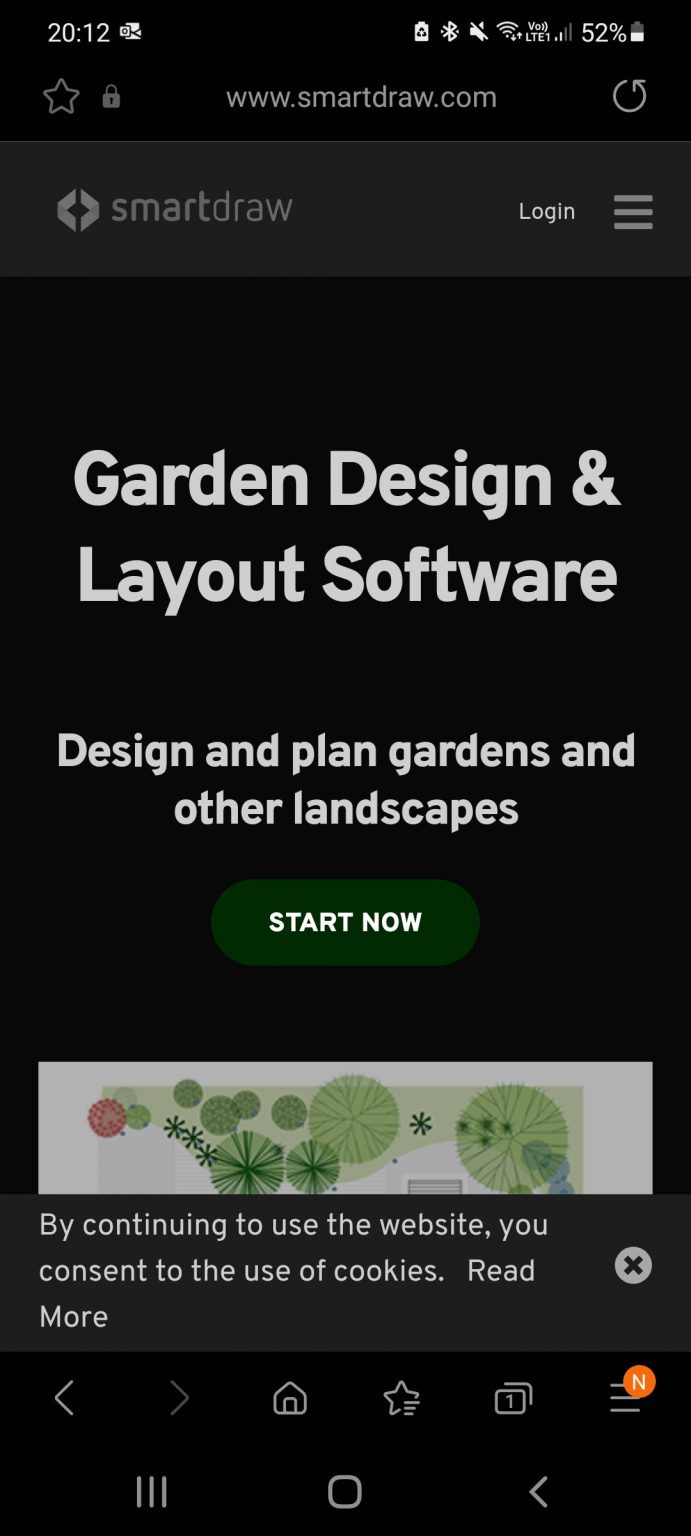
If you have any questions that you cant find the answer to we would love to hear from you. These apps also have tools that allow you to monitor how much water and other resources your garden uses. Garden Tags is more than just an app; it’s your opportunity to visit a vibrant gardening community and a vast encyclopaedia of plant knowledge. Give your garden plan a finished look by adding color, texture (such as brick, wood grains, stone, etc.), and gradients by simply pointing and clicking. SmartDraw is easy to use because it does so much of the drawing for you. Start with one of hundreds of garden design templates from basic to complex layouts for homes, parks, and office buildings.

Increased bear sightings prompt alert at San Bernardino …

Furthermore, users can upload a picture of their home to the Garden Visualiser tool, allowing them to see how the new garden layout will look next to their home. Additionally, the texture tools provided can be used to seamlessly add lawns, paths, terraces, or water features to your garden design. The software comes equipped with a range of highly useful tools and utilities that can be used by both professionals and beginners alike. Readyinform a writer for gardenmotivations.com has been gardening for over 10 years. Through trial and error they have learned to navigate the complexity of gardening.

What is the best landscape design software?

Users can also utilize the care calendar feature to create different reminders for their plants and garden. And if things don't go as planned, the app has a feature that gives advice on common plant problems and diseases. You may also consider dedicated plant care apps or reminder apps to complement your garden design app. Users can also choose from a wide range of plants, trees, and outdoor structures to add to their garden design. The app provides users with useful information on each plant, including planting and care instructions.

These Landscape Designs Were Created With Planner 5D Software

Your garden can be saved online, and once completed, you can save the image of your garden and export a list of the plants included. After you've planned your garden, many of the planners let you print out or save your garden layout, including a list of supplies you'll need to buy to implement your design. Using a garden planner to plan the layout and contents of your garden is a great way to stay organized and get everything you want out of a garden.

Hamas is reviewing an Israeli proposal for a cease-fire …

Whether you’re a professional landscaper or a DIY enthusiast, Marshalls Garden Visualiser is an excellent tool that can help you create the garden you want. Another great feature of Garden Puzzle is its user-friendly interface. The app is designed to be easy to use, and it offers a range of tools and features that make it simple for users to create and customise their garden designs. For example, users can easily add and remove plants, change the layout of their garden, and adjust the size and shape of their garden beds. For a reasonable annual subscription, you can draw vegetable garden plans of any size, get personalized e-mail planting reminders, and interact with other gardeners with this online planner.

The software provides users with a comprehensive garden planning experience, with features that cater to both beginners and experienced gardeners alike. Unfortunatly, not supported currently for mobiles or tablets, only desktop environments, Garden Visualiser is a totally free online planner that allows you to create a 2D & 3D model of your garden. Marshalls Garden Visualiser is an excellent tool offered by Marshalls to help users design their outdoor spaces.

Start typing to search...

IScape is an excellent app for anyone looking to design their outdoor living spaces. Start by simply uploading a photo of your garden and start designing right away, using a tablet or smartphone, just save your project and then come back to it later on your home computer. You can choose from square, rectangular, circular, and triangular planting beds, and adjust them to your desired size. Adding plants is as simple as dragging them from the sidebar and dropping them onto the bed. Gardena knows a thing or two about gardens and is always looking for ways to help inspire passionate gardeners. Since 1961, it has been a familiar name around the world with gardeners who favour its high-quality garden tools, innovative garden gadgets and irrigation systems.

4 apps to add to your gardening arsenal this summer - CBC.ca

4 apps to add to your gardening arsenal this summer.

Posted: Tue, 28 Jul 2020 07:00:00 GMT [source]

Full Access Individual Subscription

Garden design apps can be a great way to plan your garden down to the last detail. They let you visualize what your garden will look like at different times throughout the year, and some have tools that help you monitor your garden’s water and resource use. LeafSnap is the go-to garden planning app for accurate and high-tech plant identification, boasting an impressive 95% accuracy rate. Garden planning apps make it a breeze to visualise your dream garden in 3D, experiment with different layouts, and schedule planting and care activities. You can tailor your garden to your exact preferences, ensuring that every plant finds its perfect spot. Learn seasonal techniques and master the art of nurturing your green space with Flourish.

Free Garden Planning Apps to Help You Start Yours

Gardena’s My Garden is a free and simple-to-use, drag-and-drop garden planner that gives you the ability to add plants, architectural elements, and even garden objects like a BBQ. With a user-friendly wizard to guide you through the process, simply select a background scene from pre-made templates and customise it with fences, benches, and arbours. Filter plants by type, size, and light to create the perfect garden. Finish it off by creating a surface on your garden plan, such as gravel, stones, brick paths, tiles, or lawns. Are you looking to design your garden but don’t know where to start?

If you’re the type of person who could kill a cactus — but don’t want to give up growing your own vegetables and plants — then this subscription service is worth a shot. You can set gardening alarms and keep track of your growing progress. It’s also easy to share your progress on your social media accounts to show off your bountiful harvest with fellow gardeners. As well as plant identification, it has growing advice and plant care instructions so you can log every plant and be sure you’re caring for it properly. Think of it as a sort of planner and tracker for everything living in your garden – it’s as useful as it sounds. A brilliant app for anyone wanting to DIY the garden renovation, or collaborating with a team as all the plans are shareable.

garden design apps

You can even print out your plan and take it with you to the garden centre. With this mobile app, you get tons of knowledge from a respected authority at your fingertips for a few dollars. You’ll also learn about solutions for hungry deer, pest control, and native plants.

You can also track your garden’s progress and get reminders for important tasks. Each garden planner has various tools that will make it easy for you to come up with a plan of action for the best garden beds for your yard. You'll be able to specify size, shape, and terrain, add boundaries such as fences or walls, plan a sprinkler system, place plants, trees, or bushes, and much more. They allow you to basically plan out your entire garden down to the last detail, including adding plants, trees, and other features. Gardeners World is an app that offers advice on all aspects of gardening, from planting to pest control.

While this planner does not have many in-depth features, you can’t beat free. The app gives top tips for crop rotation and analyses weather local to you for optimum planting and harvesting dates. As the name gives away, this app can be used to identify a plant based on its leaves. The experts there have created an app to help users plant, cultivate and harvest fruit, vegetables and herbs, with down-to-earth advice and useful tools to help you stay on top of garden tasks.

You can take your garden from the dreams inside your head to harvest day. The planner will track the daily garden tasks and send you reminders about when to do them so you never forget them again. The app also lets you record your own notes and photos so you can accurately keep track of your progress. Sometimes you need to get down on paper (well, screen) your ideas and goals.

garden design apps

Born in the Midwest and gardening in a zone 5 has allowed Readinform to gather knowledge on a wide range of gardening zones. Feel free to check out and download any (or all) of these apps and see which one is right for you. Of course, there is still plenty of (free) gardening advice that you can explore from our blog as well. You can use these apps on your phone from the comfort of our wooden benches and banana benches. Veggie Garden Planner is perfect for those looking to thoroughly plan out their garden.

These apps also let you visualize your garden at different times throughout the year, so you can see what it will look like once it’s fully grown in or harvested. This sort of planning is especially important if you’re trying to garden in a small space, as it can help you make the most of your yard. You can learn more about how to optimize your space in our How to Garden in a Small Space post. There are a few paid apps to consider as well if you’re looking for something with a little more oomph. Garden Planner from Green fingers offers a lot of tools that help you plan out your entire year in the garden, including what you’ll plant, when you’ll plant it, and how much work it will take.

Garden Design Software Free Online Garden Designer

garden design apps

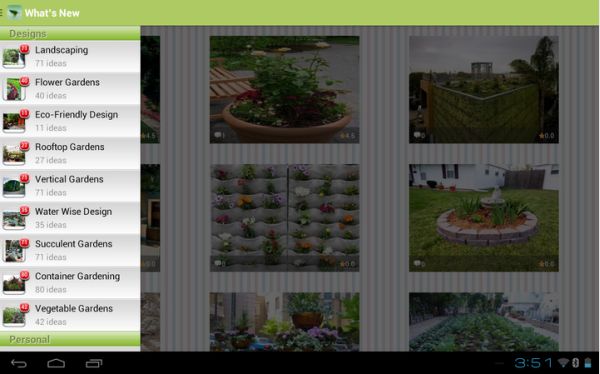
You may have some pretty big ideas for your garden this year, but do you know how to make them happen? Many of these popular apps are free, although some do come with a minimal upfront cost, while others have recurring monthly or subscription fees. Search these apps for information on a number of topics—ranging from how to decide what to plant and how to lay out a garden to specific topics like planting pumpkin seeds to full-sun perennials.

Platforms: Online Tool

Plus, new apps are released on a regular basis, so browse to your heart’s content until you find the perfect one for your needs, and keep checking back in to see what’s new, too. Even if you are still learning the ropes of gardening, there’s always room for a helping hand, especially when it comes to mobile apps, which are literally accessible at your fingertips. In today’s digital age, where there’s an app for virtually everything, it’s no surprise that gardening has plenty of online tools available too. There are countless garden planning apps at your disposal, each that offer a unique feature to make your gardening experience smoother and more enjoyable. These best free garden design apps have revolutionised the way we plan and visualise our outdoor spaces. With their user-friendly interfaces, extensive libraries, and powerful design tools, these apps provide valuable assistance in creating beautiful and functional gardens.

As a Landscape Designer, I work with busy homeowners to design custom landscapes that

garden design apps

Garden Manager is your dedicated companion for maximising the productivity of your edible garden. Birds can bring many benefits to your garden, but they can also cause problems too. Find out about the top bird deterrents to keep birds out of your garden naturally. Every picture you upload to Plantnet contributes to a better understanding of plant biodiversity. So, if you spot a fascinating plant during your travels, snap a photo, and let Plantnet unravel the botanical mysteries. Have you ever encountered an unfamiliar plant and wished you could identify it instantly?

13 Best Free Home Design Software in 2024 - G2

13 Best Free Home Design Software in 2024.

Posted: Thu, 08 Feb 2024 08:00:00 GMT [source]

You have dreams of a beautiful and functional outdoor space

Become your own landscape designer whilst staying within an affordable budget. Using this tool, you can efficiently plan and manage your garden, ensuring that it flourishes all season long. Stacy is an expert writer for The Spruce covering home DIY projects and crafts. She has over 18 years of journalistic experience, appearing as a DIY expert on the Dr. Oz Show and several radio shows. Arricca Elin SanSone has written about health and lifestyle topics for Prevention, Country Living, Woman's Day, and more. She’s passionate about gardening, baking, reading, and spending time with the people and dogs she loves.

Enhance your life.

Do you want a functional space, a decorative one, or a mix of both? Observe the natural elements of your space, like sunlight patterns, wind direction, and existing vegetation. Take measurements and create a scaled drawing or use garden design software. Consider incorporating focal points, pathways, wooden garden chairs and seating areas. Choose plants and design elements that complement each other and suit the garden’s purpose.

You can also learn how to control pests, what to do if hungry animals wander into your garden, and how to grow native plants for your region. With Planner 5D, you have the ultimate landscape design software at your fingertips. It's packed with advanced features that set it apart from the rest, ensuring you can bring your outdoor visions to life in no time. Be aware that the free version does not let you save designs, so it’s worth the in app purchases if you plan on creating your final design in it. Whether you are a beginner or an experienced gardener, using one of the best free garden design apps garden can save you time, money, and effort while helping you unleash your creativity. Explore the top 10 free garden design apps mentioned in this post, and start designing the garden you want today.

SmartGardener

If you’re looking for a dainty, lovely flower to use as a ground cover in your garden, you can’t go wrong with forget-me-nots. Delicate in appearance but deceptively hardy, they make the perfect additions to cottage or woodland-style landscape designs. However, these sweet-looking flowers are native to Europe and invasive in the U.S., and they can quickly spread out of control. This makes potatoes a popular garden staple, especially for beginner gardeners who may not feel confident enough to grow more finicky plants.

Awesome Landscaping Ideas For Your Outdoor Space

The app allows you to input the exact measurements of your outdoor space and digitally create your garden. Users are able to plan out their garden effortlessly by deciding beforehand where to place each plant and how to organize their space. SOURCEBOOK FOR CONSIDERED LIVINGThe definitive guide to stylish outdoor spaces, with garden tours, hardscape help, plant primers, and daily design news.

Best landscape design software of 2024 - TechRadar

Best landscape design software of 2024.

Posted: Tue, 15 Oct 2019 20:22:47 GMT [source]

As we near darker nights, learn how to attract bats to your garden in time for Halloween. Thrives on the wisdom of its community, making it the perfect app for those who value shared knowledge. There is no need to create a parallel set of common folders and permissions, SmartDraw can just save files directly into your existing set up. SmartDraw works in both US/Imperial and Metric standards of measure.

The planner is simple to use, and you even can save, e-mail, and print your design—a perk not all free programs allow. The planner also gives in-depth planting tips and even tells you how many plants or seeds to buy. It’s an incredible tool for anyone interested in getting the most out of their edible garden. Garden design apps can be expensive, but there are a few great free options available. My Garden, from the BBC, is a comprehensive app that lets you design your garden down to the last detail, including adding plants, trees, and other features. But of course, it's so worth it to be surrounded by fragrant flowers, ornamental plants, and the opportunity to grow your own food.

We will be discussing the features of each app and what makes it unique. We will also be discussing additional features to consider when choosing the best garden design app for your needs. Garden Design App also offers yearly garden planning tools for a one-time fee of $10.

After the trial period, the pro version is $8.99 a month, or $44.99 a year. Effortlessly design your dream garden with our 3D garden visualization. Whether you're a seasoned gardener or just starting out, our user-friendly interface lets you plan every aspect of your layout with ease. Plus, kickstart your design process with Planner 5D's extensive template library, offering a wide range of pre-designed landscapes to inspire and guide you.

If that’s the case, then a garden planning app may be the solution. There are a multitude of apps available covering topics that range from what to plant to how to lay out a garden. Our garden design software enables you to create projects which, in the past, only professional designers could create.

In this article, we will look at the top 11 best garden planning apps and plant identifiers that will revolutionise the way you interact with your green space. From garden planning and 3D design to plant recognition, these digital tools will transform your gardening experience. Marshalls Garden Visualiser is an excellent tool for anyone looking to design their outdoor spaces. With its 3D visualisation capabilities and customisation features, users can create a garden design that is tailored to their specific needs and preferences. The tool is easy to use, and with the option to add various products to the garden design, users can bring their garden vision to life.

Get the inspiration for Outdoor design with Planner 5D collection of creative solutions. But with this software, you get the chance to experiment however you like. Their are also monthly payment structures for the essentials and advanced options also if users prefer.

REST API Design Best Practices Handbook How to Build a REST API with JavaScript, Node js, and Express.js

api design best practices

As the returned response since we filtered by lastName and age. API design is a highly iterative process that varies in duration according to the API's use case and requirements. API-first design is an approach to API design that prioritizes the quality of the API's interface contract. The resulting APIs are reusable, secure, efficient, intuitive, and aligned with the organization's goals. This endpoint will fetch any post that has a tag of REST API.

Avoiding Special Characters and File Extensions

api design best practices

Techniques for achieving backward compatibility include adding new features without removing old ones, providing defaults for new features, and using aliases for renamed elements. Without a proper filtering system, it would be like finding a needle in a haystack. Developers should define the query parameters for filtering based on the API’s underlying data model and the use cases it needs to support. Adhering to RESTful API design principles is crucial for the development and management of REST APIs, ensuring they are scalable, secure, and efficient.

Use nouns instead of verbs

These descriptions should use a standard template format that describes the API, the consumers, the maintainers, its location in the code and the tests that serve as examples. For instance, the OpenAPI open source language and tool is commonly used to define and document interfaces for APIs. With that information, the user can correct the action by changing the email to something that doesn't exist. This is because our HTTP request method already has the verb.

REST API Design Best Practices Handbook – How to Build a REST API with JavaScript, Node.js, and Express.js

Page-based pagination can alternatively be implemented using ‘page’ and ‘size’ parameters. Implementing pagination helps manage and limit the number of records retrieved, which is crucial for the performance of both client and server. When creating a response object, it is wise only to return what the external user will need because building a large microservice will affect the performance and more. The code above uses Response, an object in Python that records and stores a server's response to an HTTP request.

Make all features CRUD compatible

URIs are case-sensitive as stated in RFC 3986, the case consistency in endpoint names is not only a matter of style but also functionality. Endpoints should be represented using clear and unabridged names that are intuitive for easy understanding and guessing. Abbreviations and shorthand should be avoided when naming REST API endpoints to ensure clarity and create any confusion. A robust naming convention plays a crucial role in effectively managing the growth of API endpoints. It ensures that new endpoints integrate smoothly and facilitate scalability. Swagger makes API design a breeze, with easy-to-use tools for developers, architects, and product owners.

Integrating with Other Services and APIs

api design best practices

SwaggerHub is equipped with a built-in API Standardization tool that can make your APIs compliant with your organizational design guidelines. On the server side, you can use any reasonable coding platform; the choice tends to be one of “religious belief” rather than hard logic. Nowadays you can code both the client-side and server-side in JavaScript.

Well-compiled API Documentation

Form data is good for sending data, especially if we want to send files. But for text and numbers, we don’t need form data to transfer those since—with most frameworks—we can transfer JSON by just getting the data from it directly on the client side. Learn how the API design process can help teams deliver adaptable, testable, and well-documented APIs to consumers. Next-level BackendEngineering training and Exclusive resources.

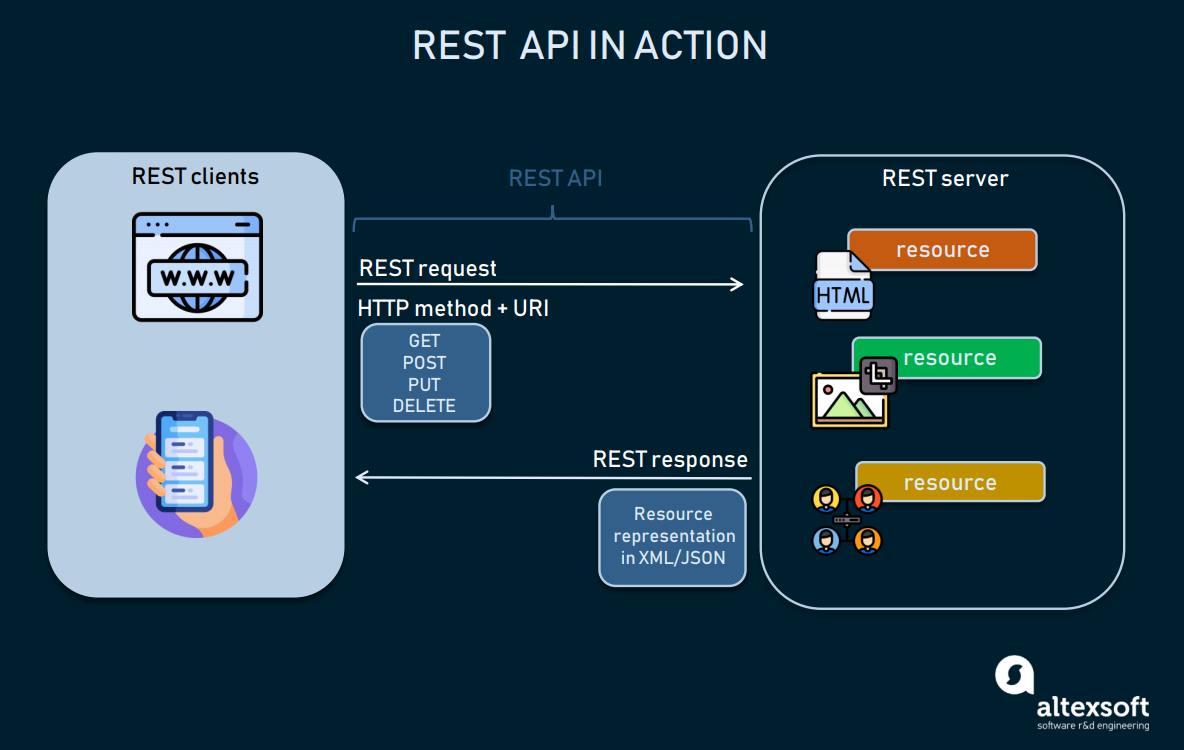
Therefore, we should use plurals for the endpoints in our API. This keeps things simple and consistent between our API and the databases. However, when we want to refer to verbs, we mostly refer to HTTP methods such as GET, POST, PUT, and DELETE.

Accept and respond with JSON

They provide a standardized mechanism for filtering and sorting, which in turn facilitates response caching and minimizes data transfer. REST APIs should permit the passing of query parameters in the URI for sorting and filtering resource collections, allowing efficient resource management. API design is prone to errors, and it’s extremely difficult and time-consuming to spot and rectify mistakes when modeling APIs. Swagger Editor was the first editor built for designing APIs with the OpenAPI Specification (OAS), and has continued to meet the needs of developers building APIs with OAS.

13 Best Practices for Building RESTful APIs — SitePoint - SitePoint

13 Best Practices for Building RESTful APIs — SitePoint.

Posted: Wed, 19 Aug 2020 07:00:00 GMT [source]

The industry has selected OpenAPI as the way forward, so let’s understand it and explore what OpenAPI includes in our OpenAPI design guide. From a technical standpoint, it is a YAML or JSON file that follows a specific document structure. You should be able to describe any REST API using a document that adheres to the OpenAPI v3 schema. When designing APIs, using web links rather than exposing database keys has several advantages. In this article, you learned about the several best practices to bear in mind when you're building REST APIs. One of the most common tools you can use for API documentation is Swagger.

We'll be exporting some methods for certain database operations like creating a WOD that can be used by our Service Layer. Before we start implementing the best practices into our example project, I'd like to give you a brief introduction to what we'll be building. As the number of tests increases, you need to ensure you process the correct test data consistently. One strategy for this is to prep the tests with a set of known good test data, perhaps loaded in before the suite runs and destroyed after the test is complete. As the codebase grows, you may want to concurrently run tests with real data and those known good data sets, but be sure to isolate those test runs with segmented data.

Best practices for REST API design

api design best practices

This benefit allows producers and consumers of internal APIs to work concurrently, which significantly reduces the time to market. Hand holding your end consumer to success whenever they hit a road block working with your API will go a long way in improving developer experience and preventing API misuse. Describe these error responses well, but keep them concise and neat. The base URL should be neat, elegant, and simple so that developers using your product can easily use them in their web applications. A long and difficult-to-read base URL is not just bad to look at, but can also be prone to mistakes when trying to recode it.

Get started with API design

Using clear and unabridged terms in endpoint names ensures intuitiveness and eases the understanding of the API’s functionality. The HTTP method used on an endpoint, along with the endpoint URL, headers, and potentially body data, defines the interaction and expected response from a REST API. The resource manipulation should be indicated by HTTP methods, not by verbs in endpoint names. This is because HTTP method names already reflect CRUD functionality, making it redundant and unnecessary to include verbs in endpoint names. If you put RESTful design first over user experience, then it doesn’t really serve its purpose. Some users can create their own account within a particular application, but do not have permission to delete it.

Versioning through query parameters

The versioning can be done according to semantic version (for example, 2.0.6 to indicate major version 2 and the sixth patch) like most apps do nowadays. Sometimes, there's so much data that it shouldn’t be returned all at once because it’s way too slow or will bring down our systems. Whenever our API does not successfully complete, we should fail gracefully by sending an error with information to help users make corrective action. The action should be indicated by the HTTP request method that we're making. The most common methods include GET, POST, PUT, and DELETE.

Postman's annual user conference

Returning all workouts is pretty simple and we don't have to do transformations because it's already a JSON file. When interacting with an API, you always send specific data with your request or you receive data with the response. There are many different data formats but JSON (Javascript Object Notation) is a standardized format. In other words, let's start implementing endpoints for creating, reading, updating and deleting workouts. Instead, development leads should create a policy that adds new APIs to some kind of centralized, editable system, such as a wiki. Create a visual map that lists API dependencies, and add links to a wiki page describing the API for each node within the map.

The body-parser NPM package still works for the same purpose, too. Because API plays a crucial role in this client–server communication, we should always design APIs with best practices in mind. This helps the developers maintaining them, and those consuming them as well, not run into issues while performing those duties. Those comments that are inside your codebase are also a great documentation for yourself as the API developer, too. You don't have to visit the docs all the time when you want to know the documentation of a specific endpoint. You can just look it up at one place inside your source code.

api design best practices

On the server, information is typically stored in a database like MySQL. The client API encapsulates activities on the database such as downloading information, storing new client information, and changing client information. The API calls getUsers instead of sending the response of all the users at once and making it slow. Use words like nouns that represent the resource's contents in the API, for example "api/stationery/pens". This explains the API queries for all pens in the stationery database. Cloud Endpoints developers may find thisguide particularly useful when designing gRPC APIs, and we strongly recommendsuch developers use these design principles.

6 Free API Documentation Tools - MUO - MakeUseOf

6 Free API Documentation Tools.

Posted: Sun, 21 May 2023 07:00:00 GMT [source]

Use with HTTP response status codes

api design best practices

You can collaborate with others around real data and seek early feedback from API consumers. This is not commonly done, and I myself do not design APIs that work this way. The JSON I design only describes the order itself, including any relationships it has to other entities expressed as URLs.

Get set up with LogRocket's modern error tracking in minutes:

Google Makes Public Their API Design Guide - InfoQ.com

Google Makes Public Their API Design Guide.

Posted: Fri, 10 Mar 2017 08:00:00 GMT [source]

They can be applied to other programming languages or frameworks as well. If not all prerequisites apply to you, it's of course not a reason to skip this tutorial. But having those skills will make it easier for you to follow along.

That's the job of our API to add those properties before inserting it. Inside our service methods we'll be handling our business logic like transforming data structures and communicating with our Database Layer. Let's create our service layer by implementing the next best practice. In our example the box is a collection that stores different workouts. Another reason for that could be that we might change a service that is used by all other versions.

So what are the design principles that help optimize developer productivity? I recently presented some ideas about this in a webcast (you can watch the replay here). The job of an API is to make the application developer as successful as possible.

A REST endpoint is a communication and data exchange channel between clients and servers. Endpoints use the same HTTP protocol used throughout the web for communication, including HTTP status codes and verbs. Efficient and consistent REST API naming conventions can streamline your development process and make navigating your API easier for developers. This guide will look at what’s needed for creating intuitive and consistent endpoint names, REST API naming conventions and best practices, and how to avoid common errors. Let’s begin by taking a quick refresher on some of the basics of REST API endpoints. In building APIs, you are creating a vehicle for developers to access specific data and services.

11 Best Curling Irons and Curling Wands of 2024

Table Of Content GHD Curve Classic Wave Wand Gisou Curling Tool Revlon Mix Curler Adjustable 2-in-1 Curling Wand Beauty Works Flat Iron Wave...